Turn Text into Professional Speech
High-quality voices generated by cutting-edge artificial intelligence. Try it for free and discover how our technology can bring your content to life.
 Get it onGoogle PlayDownload on theApp Store
- Voice cloning
- Sound effects
- Pauses in the narration
- Background music
- Voice effects creator
- Fun voices
- 70+ languages
- Save as MP3
- Share on social media
- ElevenLabs integration
- Perfect for YouTube and TikTok
- Android, iPhone and iPad
Why choose Narrator's Voice?
The complete solution to turn your texts into professional narrations
State-of-the-Art AI
Our voices are generated by advanced artificial intelligence algorithms, ensuring natural and fluent pronunciation.
Greater Variety
A wide range of voices to meet your needs
Instant Conversion
Turn any text into audio quickly and efficiently, hassle-free.
Clone any voice instantly
All it takes is an audio clip for our AI to recreate any voice with stunning realism. Then use it wherever you want.
Capture the voice
Use an audio clip of the voice you want to clone.
Clone it instantly
The AI learns the tone, rhythm and intonation in seconds.
Use it anywhere
Narrate any text with the cloned voice and take the audio to your projects.
Perfect for
- Videos
- Podcasts
- Social media
- Audiobooks
- Ads
- Lessons
Only clone voices you have permission to use.
Pauses, effects and background music
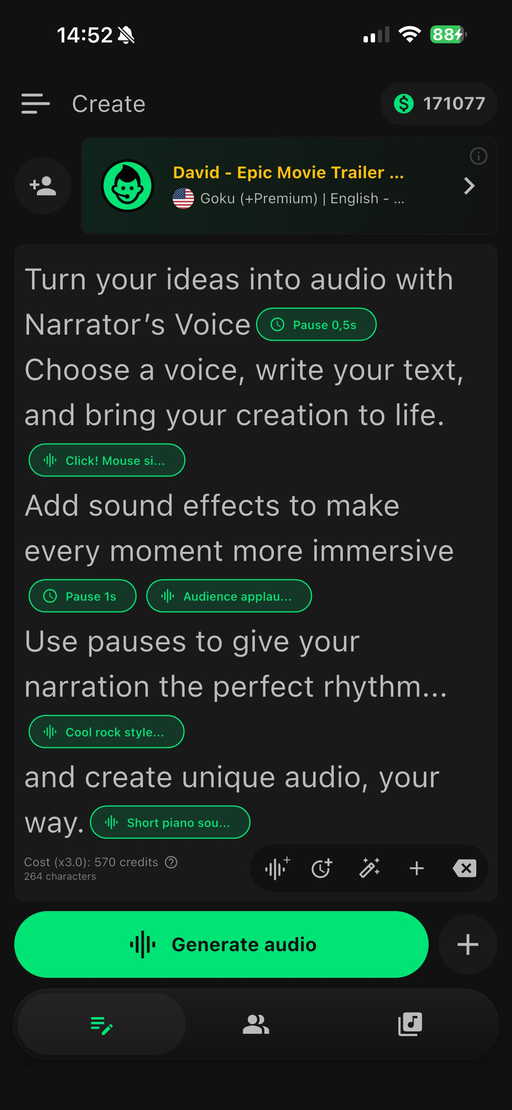
Set the pace with pauses, drop in sound effects at the perfect moment and pick a soundtrack to create the right mood.
Perfectly timed pauses
Add pauses between sentences to build suspense, add emphasis or let the speech breathe.
Sound effects
Place effects at the exact point of the speech and turn plain text into an experience.
Background music
Choose a soundtrack that fits your content and make the narration even more engaging.
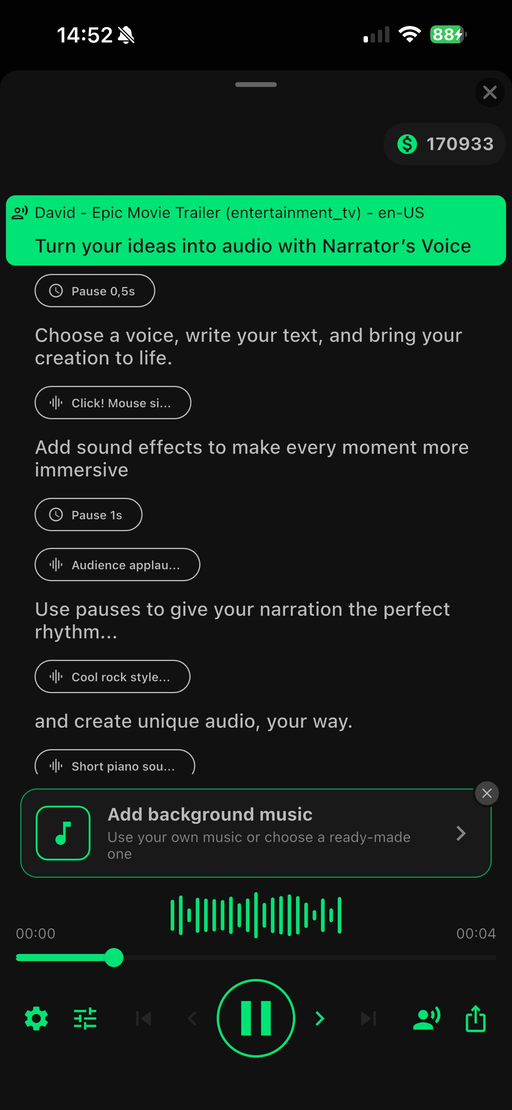
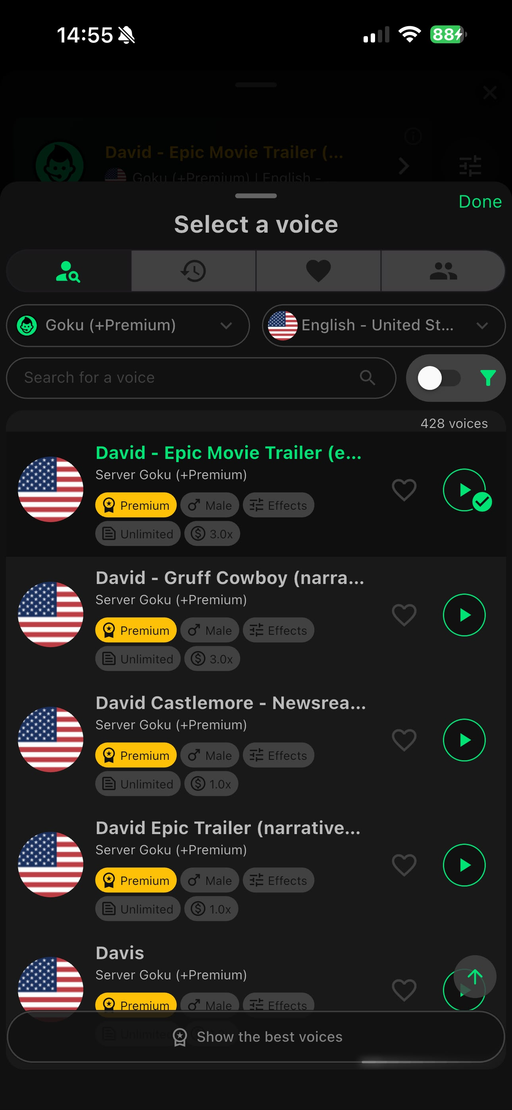
See the app in action
An intuitive interface and powerful features at your fingertips
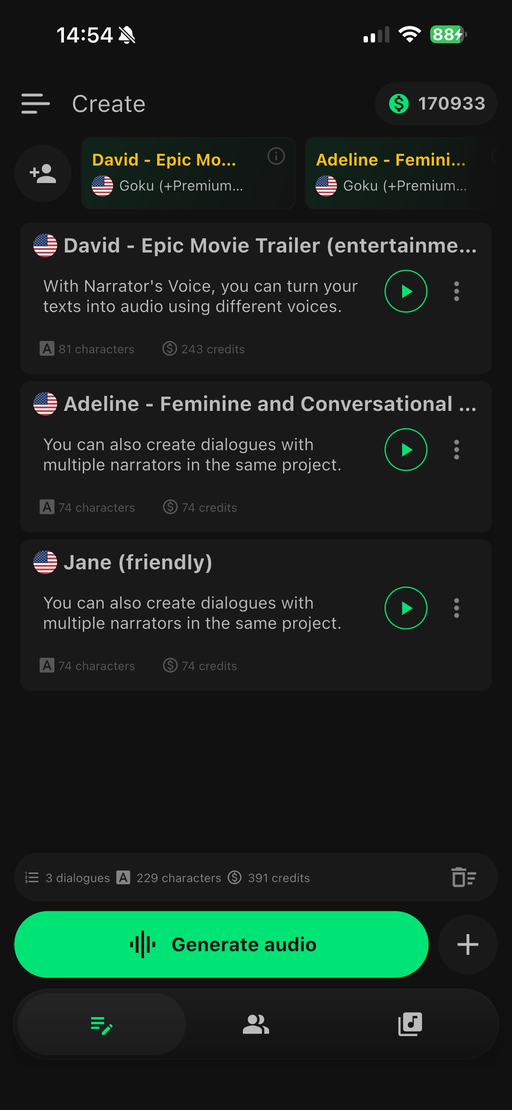
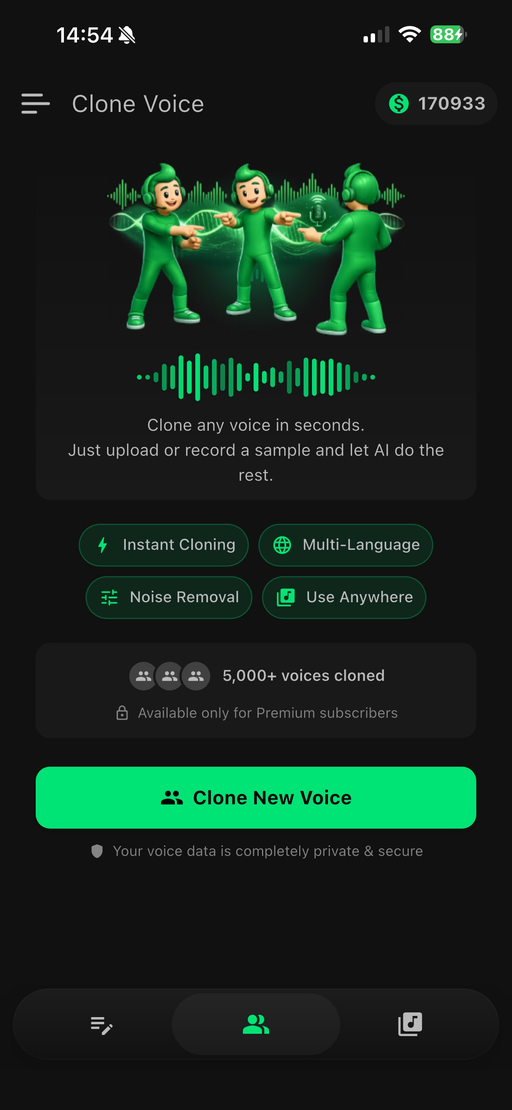
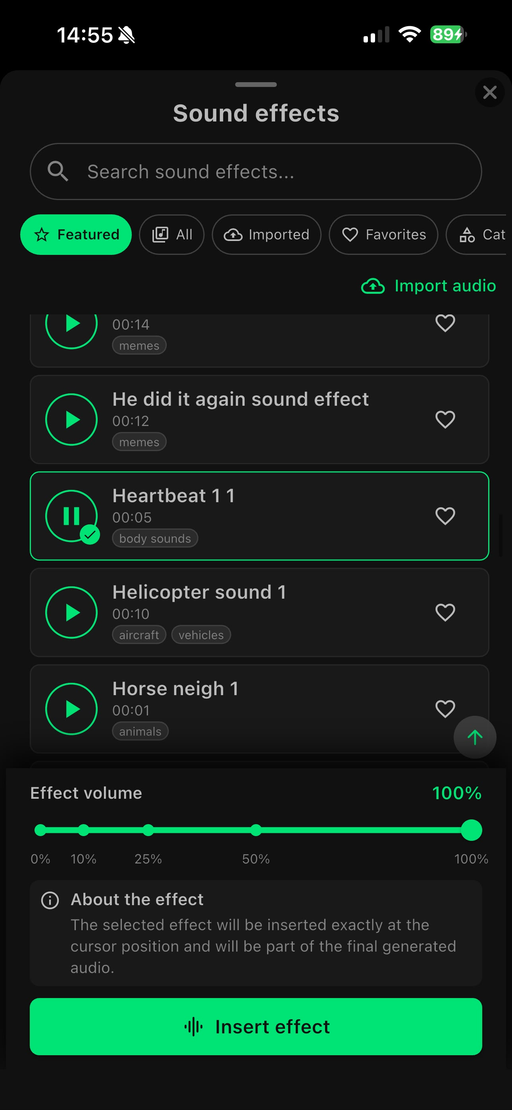
Millions of people already use and trust the app
Millions of people trust Narrator's Voice to turn text into speech. Our average rating is 4.5, based on more than 1.2 million reviews.
- ★★★★★
Voice cloning was the first thing I tried. I used a recording of myself, then listened to new scripts in a voice that sounded like me.
- ★★★★★
I needed MP3 export, and this lets me make the narration on my phone and take it straight into my video editor.
- ★★★★★
I downloaded it for the funny voices. For a project, though, I ended up choosing one of the more natural-sounding ones.
- ★★★★★
Adding pauses gives certain lines room to breathe. My scripts sound better with them.
- ★★★★★
I try the same sentence with a few voices before making a full narration. It helps me settle on the right mood.
- ★★★★★
I cloned my voice for a short project. Rewriting one line and generating it again saved me from recording that part twice.
- ★★★★★
I added background music to a little storytelling project and liked how it came together. Trying different combinations was fun.
- ★★★★★
I've been trying my cloned voice in short video intros. I listen to each version, then try another script.
- ★★★★★
I've turned some of my notes into audio. It's a nice change when I'd rather listen than stare at a screen.
- ★★★★★
I don't always have a quiet place to record. This gives me another way to make voiceovers and finish my videos.
- ★★★★★
I like using the sound effects sparingly. One well-placed effect added a nice touch to the story I was working on.
- ★★★★★
I tried a few voices before finding one I liked. After that, putting the narration together was straightforward.
- ★★★★★
I wanted to hear how voice cloning would handle the way I speak. Comparing the generated narration with my original recording was the part I enjoyed most.
- ★★★★★
Listening to saved audio offline comes in handy. I get everything ready before I head out.
- ★★★★★
I've made a few short audio lessons with it. Hearing the text out loud also helps me catch awkward wording.
- ★★★★★
I work with short scripts in English and Spanish. It's convenient to find voices for both in one app.
- ★★★★★
I tried a few voices for a product video. Hearing each version helped me choose the one that fit the message.
- ★★★★★
I started with a couple of sentences to see how it worked, then ended up trying the music and sound effects too.
- ★★★★★
Sometimes I want a silly audio clip; other times I need a clear, straightforward narration. I can do either here.
- ★★★★★
I narrated a story with my cloned voice, then added music and pauses. It was fun building the audio around a recording of myself.
Frequently asked questions
Is Narrator's Voice free?
Yes. The app is free to download and use, with ads, and many voices have unlimited use. Some voices use credits, which you get with every Premium subscription renewal. Premium also removes ads and unlocks exclusive features.
How many voices and languages does the app have?
More than 10,000 voices in over 70 languages, including ultra-realistic AI voices with professional dubbing quality.
Can I use the audio in monetized videos and ads?
Yes. Commercial use is allowed, including monetized videos on YouTube and TikTok, ads and client projects.
Does the app work offline?
You need an internet connection to generate new audio. Audio you have already saved can be played offline.
How do I save or share the audio?
You can save the audio as MP3 or share it directly to your apps, such as WhatsApp and social media.
How does voice cloning work?
All it takes is an audio clip: the AI learns the tone, rhythm and intonation in seconds, and you can narrate any text with that voice. Only clone voices you have permission to use.
Which devices does the app work on?
Android, iPhone and iPad. Download it for free on Google Play or the App Store.
Ready to try it?
Download now and discover why more than 40 million users trust Narrator's Voice
 Scan with your phone camera to download the app
- Try it free
- Android & iOS
- 40M+ downloads